Bring life to your screen display
Dani John’s Lively Wallpaper is a free and open-source software design application that makes your screen look active and frisky. This personalization software enables you to turn various videos, GIFs, games, and many more into cool wallpapers to upgrade your screen or simply have a stock of awesome pictures.
Top Recommended Alternative

To set a more dynamic wallpaper, just drag and drop any files or webpages into the lively windows and you’re all set. If you’re listening to music on your browser or Spotify, Lively Wallpaper will display the song on your wallpaper for added visual aesthetics. Unfortunately, it is prone to white screens and crashes.
Fully packed with handy features
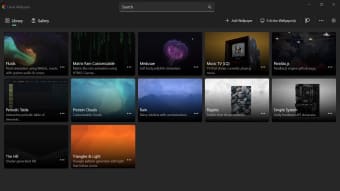
Lively Wallpaper download offers a library wherein you can browse and preview wallpapers. It supports real-time and customizable web wallpapers. The hardware-accelerated video playback that the software offers also provides an option to use any of the following external Directshow codecs. These include:
- LAV
- K-Lite
- Kawaii Codec
On top of that, you can use the creator tool to generate a ZIP-format file for easy sharing with people. The app also provides full multiple monitor support, which stretches your wallpaper across all your monitors so your setup looks more visually stimulating.
You can set a different wallpaper for each display — though if you own more than one device at home — the same wallpaper can be duplicated into said units. The software is also capable of playing the following video formats:
- MP4
- MKV
- WebM
- AVI
- MOV
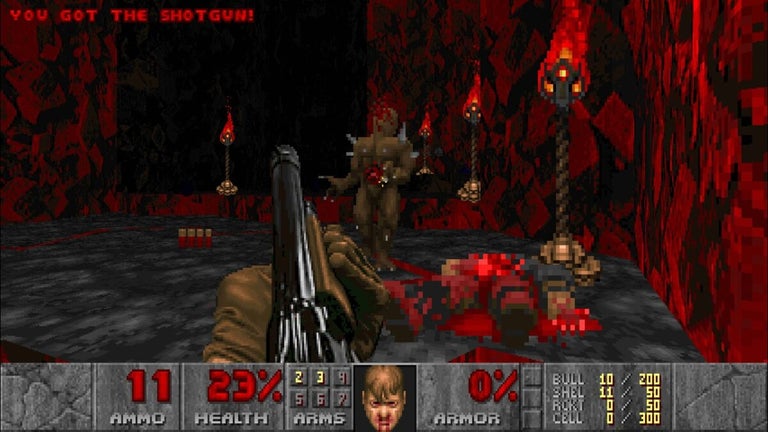
Whenever you are not using your device, your clip’s audio will automatically be put on mute. The video quality can also be freely adjusted with the program’s settings. In addition, it can run GSL shaders in your browser as well as launch Unity and Godot games.
Does Lively Wallpaper consume RAM?
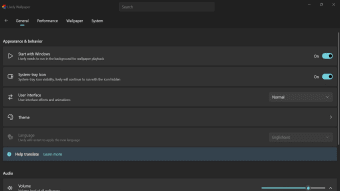
Overall, Lively Wallpaper does consume a not-so-significant amount of RAM. Plus, if you’re currently running resource-intensive software in full screen, the wallpaper playback will pause so it won’t consume too much of your CPU and GPU — which in turn — improves the performance of your unit. This program’s performance can be tweaked according to your needs and comfort level. For example, you can set it to pause wallpaper playback if your device’s battery is low, or configure it to play a wallpaper only when you’re at your computer.
Will Lively Wallpaper slow down my PC?
If you’re using a low-spec PC, then you can expect that this program can take a toll on its performance. It will also consume more device battery power than stationary wallpapers, as well.
Is Lively Wallpaper safe to download?
Lively Wallpaper download is safe. The application is completely virus-free and secure.
How do I get more wallpapers for Lively Wallpaper?
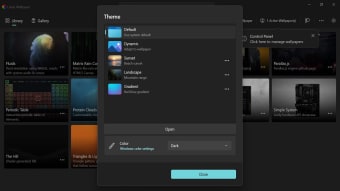
You can certainly outsource live wallpapers, for example anime videos, from other websites, but ensure that you will acquire them through legal means. These can be added to the program by clicking on ‘Add Wallpaper.’ Afterward, you can adjust these wallpapers’ colors, saturation levels, and playback speeds.
Best among the rest
Lively Wallpaper is one of the most reliable wallpaper tools to have. Not only is it free, but it also sets a high standard from the rest of its competitors — especially with the number of features it provides and the highly customizable options and settings that can be tuned to your preference. Overall, this is a recommended personalization app to get if you’re into making your setup more aesthetically pleasing and visually stimulating.